Zebra Table
Martijn van Welie
Users need to read or scan a table in search of particular information
Typically, an overview of items is given because of a or . The table can be quite complex and have several columns which makes it hard to see which items belong to the same row.
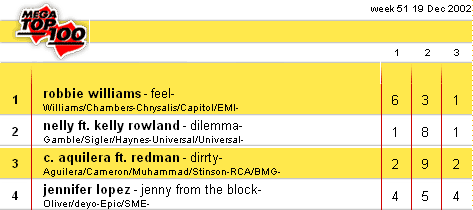
From
www.planet.nl
Use alternating row colours for making the table more readable.
Use two colors of low saturation, e.g. white and a very light shade of an other color, that are only slightly different. Color each row of the table by alternating these two colors. The effect can be enforced by adding another horizontal line using a dark color.
The row color elimates the need of table borders and make it easy for the eye to read a row. In a vertical sense, the colors make it easier to 'catch' an item because it is on either one of the colors.
Another example from CNN:
 Listapart on Zebra Tables