Stepping
Martijn van Welie
Users need to view/act on a lineair ordered set of items.
Users need to navigate a linear order list of objects. Objects can be images, or a number of tasks that are part of a or a . When the number of objects is large, Stepping works as a secondary navigation aid, for example as part of . In other situations such as in a , stepping is actually the main task navigation.
From
www.fmnh.org
Allow users to go to the next and previous task or object by clicking on 'next' or 'previous' links
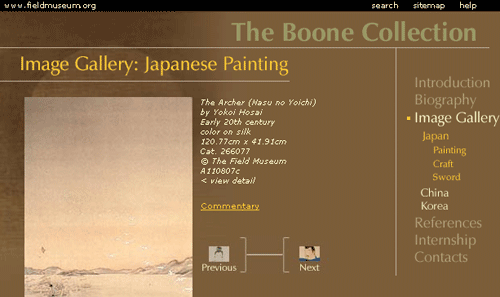
The 'next' link takes the users to the next item in the sequence while the 'previous' link takes them on step back. Place a 'next' and 'previous' link close to the object it belongs to, preferable above the object so that users do not have to risk to scroll to them. Make sure the next/previous links are always present in the same place so that users that are clicking through a list do not have to move the mouse-pointer. The 'previous' link is placed on the left, and the next link on the right, at least for western cultures.
Naturally, the 'next' or 'previous' link is only present when there actually is a next/previous item. So if the user starts at the beginning, there is no 'previous' link and there should not be a 'next' link at the end of the list. The labels 'next' and 'previous' can be extended with a further specification of what there is to find next, e.g "next image", "next page" etc.
Think about using a thumbnail image when using stepping as part of an . Consider using when the users is navigating through an important task where the next and previous links need more attention than usual.
Stepping is one of the most basic ways to navigate. It enforces the linearity by using the labels next and previous. Combining a thumbnail image with a navigation link gives the users information where they are going to before actually doing so. Both longer link labels and including a thumbnail lead to an , hence making it easier to select them.
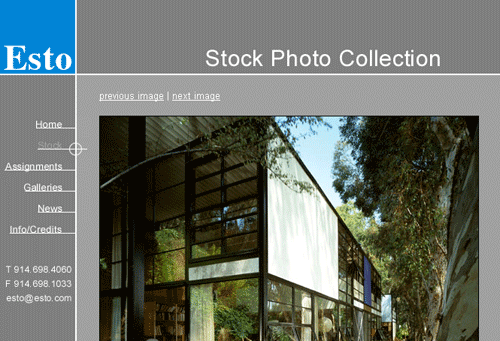
At www.esto.com, images can be browsed using stepping. The links are always in the same fixed position allowing easy repeated clicking.