Search Area
Martijn van Welie
The users need to find a page

From www.att.com
In addition to the main navigation scheme, the web site has secondary functionality to search for information. Such sites are typically medium to large sites. There may be several kinds of search-related functionality on the site. The search functionality is not the main way to access the information, it has a secondary role.
Use a dedicated area with different kinds of search functionality.
Group the different kinds of search functionality and place them in a small rectangular area. The area is placed in a prominent position on the page but is not masking the main navigation. Use a combination of a together with a , , or .
By combining all these search related functionality, the Search Area is THE place for searching and users only need to go to one place on the page. Alternatives and help is provided in a coherent way.
Apple uses a search area with sitemap, tips and options.
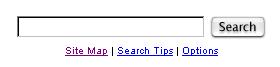
www.att.com; www.apple.com; www.cnet.com