Pulldown button
Martijn van Welie
The user needs to select an item out of a set of items
The items need considerable space to display, usually because the are displayed as an image. At the same time the space for the items is limited. Typically only enough for 5-8 items. The set of items shouldn't be to large because otherwise it takes to long to select the item. Do not use for more than 3x times the amount of items that are visible at one time.
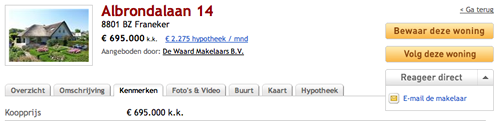
From
www.funda.nl
Show the items by their visual representation in a circular fashion so that one item can be selected at a time.
Show the item in a rectangular space with arrow buttons at both ends. Display the items and highlight the one that is currently selected.
tbw
Google also uses a pulldown-button for replying and hiding other options:
 Carousel component
3D Carousel in Flash
http://www.jdstiles.com/java/nav/3dspinmenu.html
http://billwscott.com/carousel/