List entry
Martijn van Welie
The users need to add items to a list
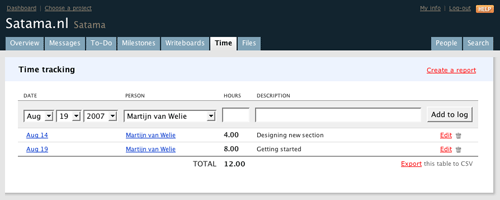
From www.basecamphq.com/
Users are building up a list of items one by one. The items they are adding are very simple, typically a name of a personal or item, and possible one or two extra fields. If the items are complex, typically consisting of 4 or more fields, this pattern should not be used. This pattern is particularily good when a lot of data has to be entered manually.
Show a simple entry form directly above the total list of items
The form must have an 'add' button and pressing it will add the item to the total list and clear the form for the entry of the next item.
The main strength of this pattern is that it reduces the amount of steps needed in the process of adding items to a list. Normally, users would first click on the 'add item' button which then shows the entry form and then confirm the action. This pattern saves one step in the process and only minimally clutters the interface.
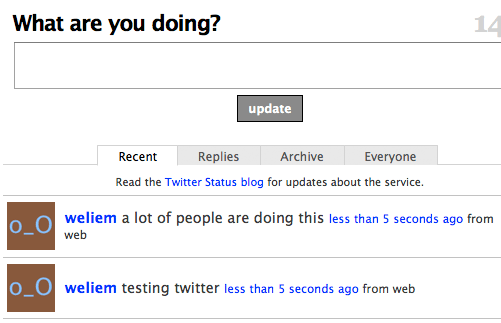
Twitter uses this pattern to quickly post messages.