Fun
Martijn van Welie
Users want to have fun or feel entertained
The site should not a very "serious" or highly informative character. The fact that the site is fun to visit and its content is in line with that is reflected in the site's design. Providing a fun experience is more important than providing the easiest and clearest way to access useful information, as in an experience. Such sites are typically , an or a site where the topic is directly about fun or leisure e.g. cartoon-related, hobbies etc. Fun inspired elements can also appear on "serious sites" to "break" the seriousness and provide some contrast. For example, a game can appear on a , or a .
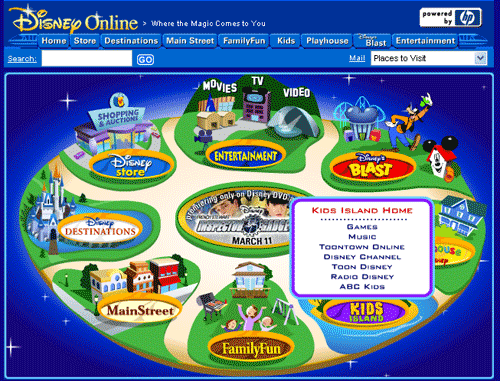
From
www.disney.com
Add challenging and surprising elements to your site, supported by additional visual fun-adding details, to create a highly interactive and visual experience.
Making your site more fun or entertaining can be done by applying a combination of specific interactive elements and an appropriate visual style.
For interactivity to be more "fun", it needs to be challenging or surprising, requiring users to discover how things work or behave. Users will have to learn how the site works and what it has to offer. Users may even have to improve improve their motor or mental skills for successful interaction. When designing of a sustained fun on a site, the site may include game elements such as competing against others and get rewarded when they reach a certain goal. Typical elements that have such a challenging interaction include , Roll-overs and . In both cases users need to explore or act first in order to get access to the navigation.
Concerning the visual style, more fun means being positively surprised. For example by being playful, cartoon-like, round and not straight, using soft colors, black outlines and strong contrasts (no gradients). Other means include the use of metaphors, making things that are out of proportion or combinations of things that normally don't go together. Playful music and the use of animation or animated transitions may also help. The use of many visual elements will make pages download slower but that is ok as long as the visuals are good enough and worth the waiting.
When looking at web design, certain elements have a more fun or entertaining aspect:
- can be a nice way to explain users how to use a particular product.
- Interactive Games can provide some real entertainment to even otherwise serious web sites.
A crucial element in creating a highly interactive experience, is to make it challenging. This mean that interactivity is made more difficult than necessary. Otherwise, there would be no need for discovery and the joy of "aha, now I understand how this works!" will never occur. Of course, the fun would not be complete with a visual style that makes a positive and surprising impact on users. Using cartoon-like characters, and a playful visual style helps to create such a surprising impact.
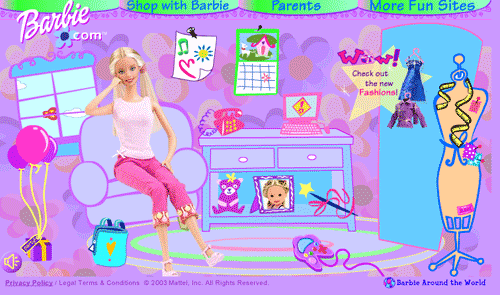
www.barbie.com makes use of in combination with animation for a challenging home-page that also an appropriate visual style:
 www.lotto.nl; www.disney.com, Ini's site met image competitions.