Collector
Martijn van Welie
Users need to temporarily gather a set of items for later use
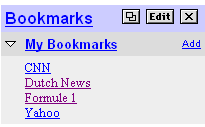
From www.yahoo.com
In many sites users encounter 'objects' that they will later again read, view, or use in general. For example, in a users view products which they will put in their so that they may purchase them or throw them out of the cart again. A 'wish list' is another temporary storage for products. For other type of sites such as users may gather articles based on headlines and read the collected articles afterwards. Often a 'favorites/bookmarks' list is part of a . Collecting items can also be used for a or any other situation where the task consists of 'collect and take action on the collection'.
Users must be able to quickly access their 'collection' and independently of the task at had. Users must be able to add items as they find them and they must be able to manipulate their gathered items.
Allow users to build their list of items by selecting the items as they are viewing them. Place a link to the collected items list on every page in the site.
Place a link 'add/save to list/cart/clippings/...' on pages with items of interest. Typically such a link is present on a or . Provide some subtle feedback that the item has been added to the set of items. For example, by showing the number of items in the set being updated. Alternatively, show the updated list of items.
The set of items is accessible from any location in the site. It is hence usually part of the . Selecting the list shows the set either on a new page or in an overlaid section. The list itself is just a very basic . Although the set of items is only intended to gather few items, users need some basic functionality for deleting all or some items. Provide functionality in the area of the list itself, for instance using simplified pattern.
Temporarily collecting items is something we do all the time in our daily life. The collector provides a simple mechanism that allows for a small number of items to be gathered for later use. By making it accessible on every page it truly becomes a handy 'cart' to put stuff in.
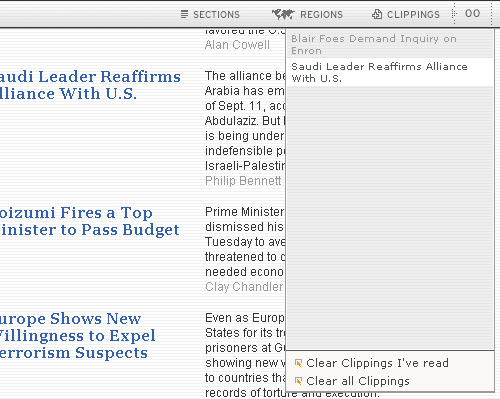
The International Herald Tribune site makes different use of a favorites list. Here users can click on the icon next to an article to "clip" the article. By going to the "clippings" section in the top bar, users can manage their selected articles.
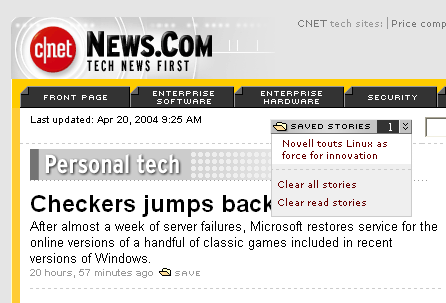
At CNet, articles can be 'saved' and are directly accessible again in a pull down list