Comment Box
Martijn van Welie, Bob Klaasse
Users want to comment on an article or product
A comment-box is often used on a but can also be used on an , or for sharing experiences about the products of an .
Users may want to comment on the content of an article or share experiences about the product that is being discussed. The comment box serves a means for .
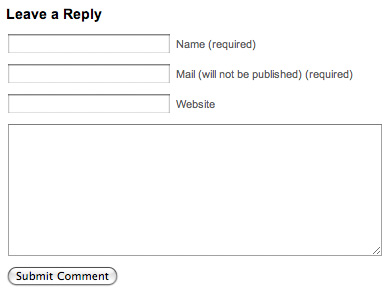
From
www.ok-cancel.com
Add a small form below the article and after the other comments that allows users to submit a comment
A comment box is basically a simple type of . The main fields are Name, E-mail address
and the Comments themselves. Additionally a web site address may also be asked. The e-mail address is most of the time asked in order to be able to notify the commenter about replies or follow-ups but it is usually not shown when displaying the comment. Clearly indicate which fields are required and which are optional.
Allowing HTML or not?
When writing a comment it can be handy if you can insert a link or make some text bold. Sometimes using HTML codes is allowed for such purposes but usually the tags that are allowed are limited. Therefore the users must be told what they can use. Be careful though, allowing links attracts blog-spam like honey attracts bees!
Battling blog-spam
Blog-spam can be a very serious and annoying problem. There are several techniques to battle it. Besides technical solutions such as blacklisting IP addresses you can use some other techniques:
- Only allow registered users to comments. But then you need to provide them with a
- Add a to make sure that only humans add comments. However, this is not effective against humans adding spam.
- Use a moderation process. All comments must be approved first by the moderator before they appear on the site. If you use this inform the user that his comment will appear after it has been moderated.
Giving feedback
After a visitor has posted his comment, the comment must be placed below the last comment on the page, just above the Comment Box itself. Highlight the new comment and scroll the page to that position so that it clearly shows that the comment has been added. Using Ajax you can also simply add the comment without reloading the page and then highlight it. The comment shouldn't only display the comment itself, but also the time and date it was posted, the poster, and optionally things like place and country of the poster.
The comment box is a way to create a feedback mechanism on a site, using just a simple form. Instead of offering a generic it gives the uses a direct way of reacting on the same page the content resides. By placing the comments also on the page the feedback mechanism is complete. Basically, it becomes a simple one-page .
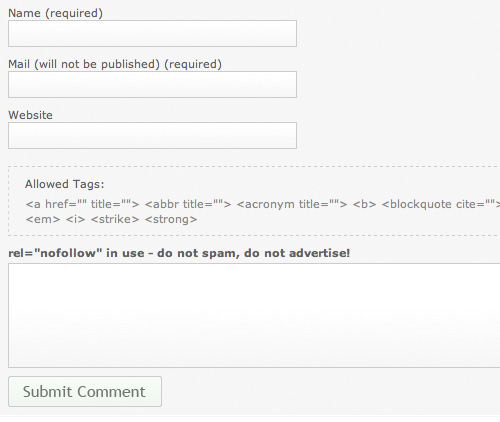
This example rom
www.smashingmagazine.com shows how you can explain which HTML tags can be used and how to indicate what is optional and what isn't.
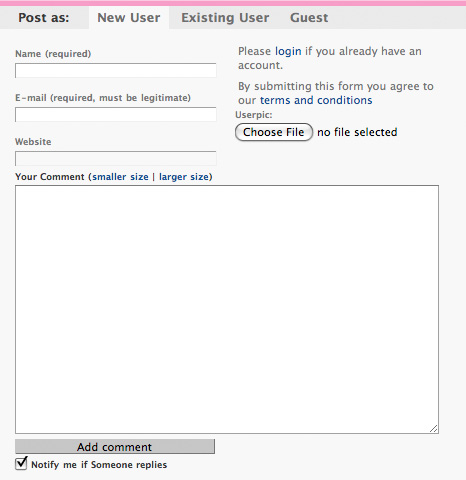
On
www.mashable.com/ a slightly more complex variation is used where both registered and unregisterd users can comment.
These sites also make use of a comment box: see the box below the content.
For example:
www.12forum.nl
www.livejournal.com
www.blurty.com/
PHP guestbook code
Comment Form tutorial
PHP Feedback Form tutorial
TNT comments script
Battling spam in blogs
Bloggers Declare War on Comment Spam, but Can They Win?
Akismet anti-spam software