Table Filter
Martijn van Welie
Users want to control which subset of the total information they want to see in tables.
You are designing a or any other site where a lot of data is presented in a table, possibly using a . The amount of information-items is high and users need to filter out certain items. for example, belonging to a certain category or which certain attributes.
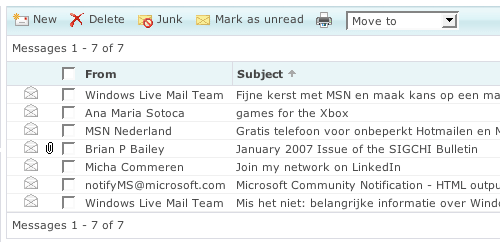
From
www.hotmail.com
Allow the users to select a subset of the information items directly above the table
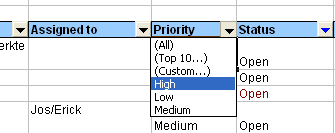
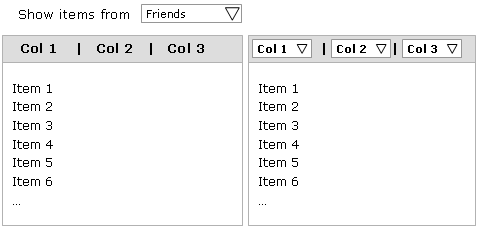
There are two ways that a subset can be selected, either using one combo box based on one dimension or using combo boxes for every column in the table (multi-dimensional filter). When there are only a few meaningful subsets use a combo box. When users require very flexible filtering, for example in a issue tracking system, provide combo boxes in every column so that complex filters can be made.
When users can filter on column values, the interface becomes a variation of since users are building up facet values as they set column filters to specific values. After the selection by the user, the table is automatically redrawn showing only the elements of the subset. When users often create the same complex filter (e.g. all open issues assigned to me with high priority), provide functionality to store filters.
Usually, the table can only display the first items of the subsets and therefore is needed to browse through the entire list.
Filtering allows users to quickly reduce the amount of items shown and help them to adjust their information to the task. For expert users, multi-dimensional filtering on all columns can be a very powerful feature that can replace reporting functionality or the functionality.
This example taken from Excel where multi-column filtering is used in an issue list: