Carrousel
Martijn van Welie
Rotating Menu
The user needs to select an item out of a set of items
The items need considerable space to display, usually because the are displayed as an image. At the same time the space for the items is limited. Typically only enough for 5-8 items. The set of items shouldn't be to large because otherwise it takes to long to select the item. Do not use for more than 3x times the amount of items that are visible at one time.
Can be part of an

From
zend.lojcomm.com.br
Show the items by their visual representation in a circular fashion so that one item can be selected at a time.
Align all items horizontally or vertically so that a 'strip' of items is created. Then show only some items of the strip and hide all the others. Place arrow buttons at both ends of the strip so that the user can move the visible area. Highlight the one that is currently selected. In order to improve usability make each item selectable and move the strip so that the selected item is in the middle. Also support keyboard navigation. Use some animation to make the sliding effect of the strip look nice.
Because the carrousel only shows some items at a time, you only need a small space to show many items. Because the carrousel is circular, users can reach items either by going left or going right.
>
Although the word 'carrousel' implicates a circular structure, many carrousels are not circular. It then becomes a 'sliding window' over a strip.
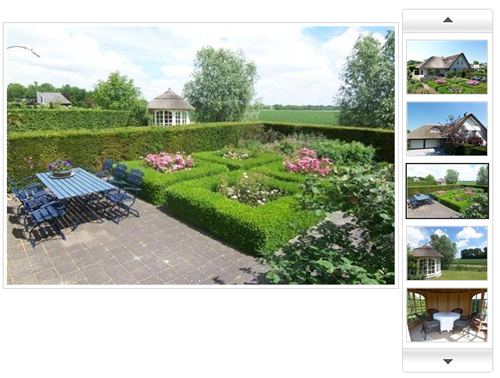
Funda, a Dutch real-estate site, uses a carousel as part of an :
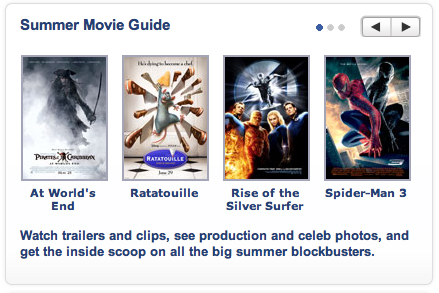
At Yahoo Movies a non-circular carrousel is used. Also not the 3 dots next to the arrow keys that act as a 'you are here' indicator:
 Carousel component
3D Carousel in Flash
Image caroussel
3D spinmenu
YUI based carrousel