Article Page
Martijn van Welie
Users need to read a reasonable amount of text
You are designing a , or similar site, where users come to read stuff. What users are reading are 'articles' and not longer stories that you may find in online brochure or dossier.
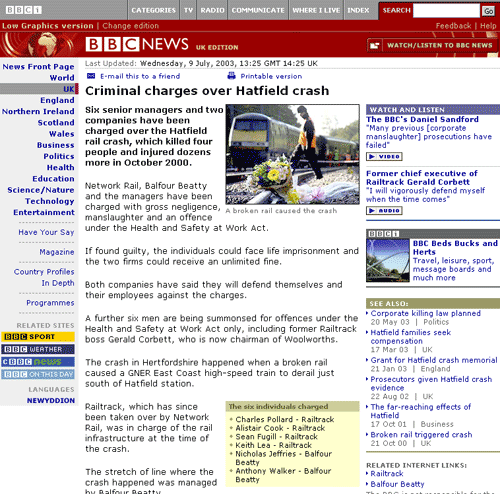
From
news.bbc.co.uk
Present the article in a consistent and structured format, and place it in the center of the page.
Every article page you may encounter will have a slightly different format but most of them share these basic elements:
- Header, in a large font size and preferable not spanning more than one line
- Publication date, in a small font size
- Photograph with caption, half or the column width or the entire width.
- Introduction text, which often serves as sort of a summary as well
- Body text, the real content of the article
- Links to related articles, either external or internal articles
Use the entire content area for placing the article so that the article in on the . Article pages often use a 3-column layout for the page where the left column contains the site navigation, the middle contains the article and the right column displays related materials/promotions. An Article page should use so that the article area grows as the browser window get larger.
After the body text, there may be a 'local' with a or link to a . Alternatively, such a bar can also be put at the top of the article as well. In some cases, an article may span multiple pages and needs . Only use it when there is special content such as a high-resolution image on the second page, otherwise it is best to keep article pages on 1 page. On some sites, it is also possible to add a page to a list of so that users can easily find them back later.
In order to make the site a bit more interactive, sites with article pages also allow people to react on the article. That way a sort of small will arise with the comments being displayed at the bottom of the page.
The article deserves the space and actually needs the space for readability reasons. The rest of the links above and below the article belong to the article and are in easy reach.
This is how CNN does it:
 news.bbc.co.uk
www.cnn.com
www.iht.com