Web-based Application
Martijn van Welie
Users need to perform complex tasks on a web site
The site is for 'doing' things rather than finding information. Users can perform complex tasks such as reading and writing emails, placing orders, managing a bank-account. In most cases there are 'objects' involved that belong to the users which the users need to create, change, delete or update. A web-based application is an application that could just as well be a normal application. It now just runs in a web browser.
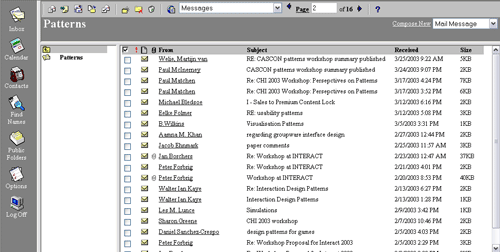
Microsoft Outlook Web Access
Structure the site around 'views' and allow users to work inside views
Web-based applications are based on s for showing the objects and for changing them. The view provides a "safe" place where the users always return to after doing something using a or . The views are usually lists or tables that allow the display of information to be controlled. For example, using a or . When tables are being used, consider for making them better scannable. In applications such as a Content Management System, Tree controls are also widely used.
Web-based applications are often personal and therefore require users to . The information shown and the functionality that is accessible will depend on the user's identity or 'role'. That also means that not every users will see the same views or data per view. In some cases, users can use a demo account to see what the application looks like before commencing .
Since web-based applications can be quite complex there is often help information or a as part of . Other elements in the meta navigation are often 'logout', 'home', 'feedback' and so on.
A web-based application usually has a simple navigation mechanism that allows users to switch between views. A simple horizontal/vertical menu or will usually suffice. The views are labeled based on the objects rather than the actions. The actions will be present in the view itself. However, in practice, some actions such as "compose email" are so important that they will be part of the navigation as well.
Views contain the objects of interest and the view should therefore also be label according to the objects rather than the actions. Structuring the web-based application mainly on views makes it easy for users to understand what they can do and how to interact with it.
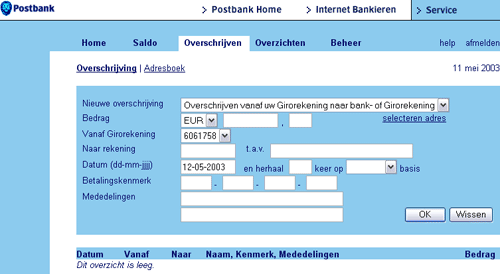
This is an example of a Dutch online banking application. A simple horizontal menu with is used. The main actions are done using such as this one:
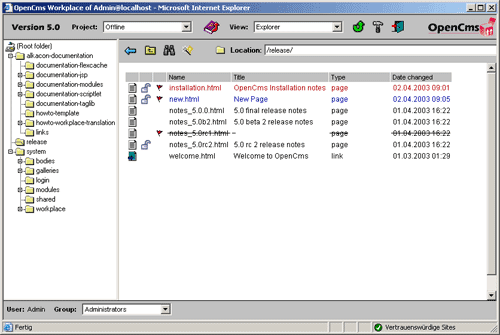
This example is from OpenCMS, an open source CMS. It uses many types of views that each show a different aspect of the website: