Action Button
Martijn van Welie
Users need to take important action that is relevant in the current context of the page they are viewing. They must be made aware of the importance of the action in relation to other actions on the page or site.
Users navigate through a site using links but not all links are conceptually the same. Normal text links are for navigating and do not have any side-effects, it is simply for going from page to page. Other links are used to create a specific effect such as starting/ending a process or committing something to a database. For example, starting a search in a , ordering a product, submitting a money transfer and so on. Such links are actions important because they can cause side-effects that cannot be undone easily or because they have other consequences for the users.
Actions are typically taken on a or any result or overview pages such as found in a or . It holds for all of these that the users are looking at the display of an object of interest on which they intend to take and important action. Typically actions like "buy", "bid", "search", "add to cart" etc. These action are typically important because they are part of the main task sequence that is relevant on the page.
From
www.bn.com
Use push-button with the action 'verb' as part of the label.
A push-button visually stands out on the page and is easily distinguishable from a textual link. It therefore attracts more attention than simple text link and suggests an "action" because of it's "push-button" affordance. The button can be a standard system button but more frequently it is a graphic that fits in with the overall page design. Even when it is a graphic, a 3D-look is important to create the "push"-affordance, so 'flat' action buttons must be avoided. The button should be coloured using a different color than the background colour used on the page so that it stands out sufficiently. Make sure that the button is not too small. The larger they are, the easier it is to select them. The label inside the button must contain the 'action verb' as part of the label e.g. 'buy', 'add', 'submit' etc.
Place the push-button very near to the object(s) it belongs to. Quite often, the best places are above and to the right of the item itself. That way, you are can be sure that the button is visible without scrolling. Buttons used on a are an exception to this and the button is placed at the right-bottom location. When buttons are used in lists, e.g. in a , buttons are often both above AND below the list of items.
The main reason for using action buttons is that because of their visual appearance, they get more attention and become visually distinct from normal text links. This is what is needed for important tasks such as "buy", "sell" etc.
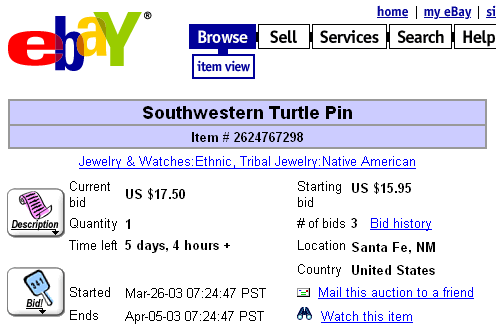
Here is another example from www.ebay.com where action buttons are used for making a "bid" on an item that is up for auctioning:
 www.ebay.com;www.bn.com;www.amazon.com